


.svg)

.svg)

.svg)


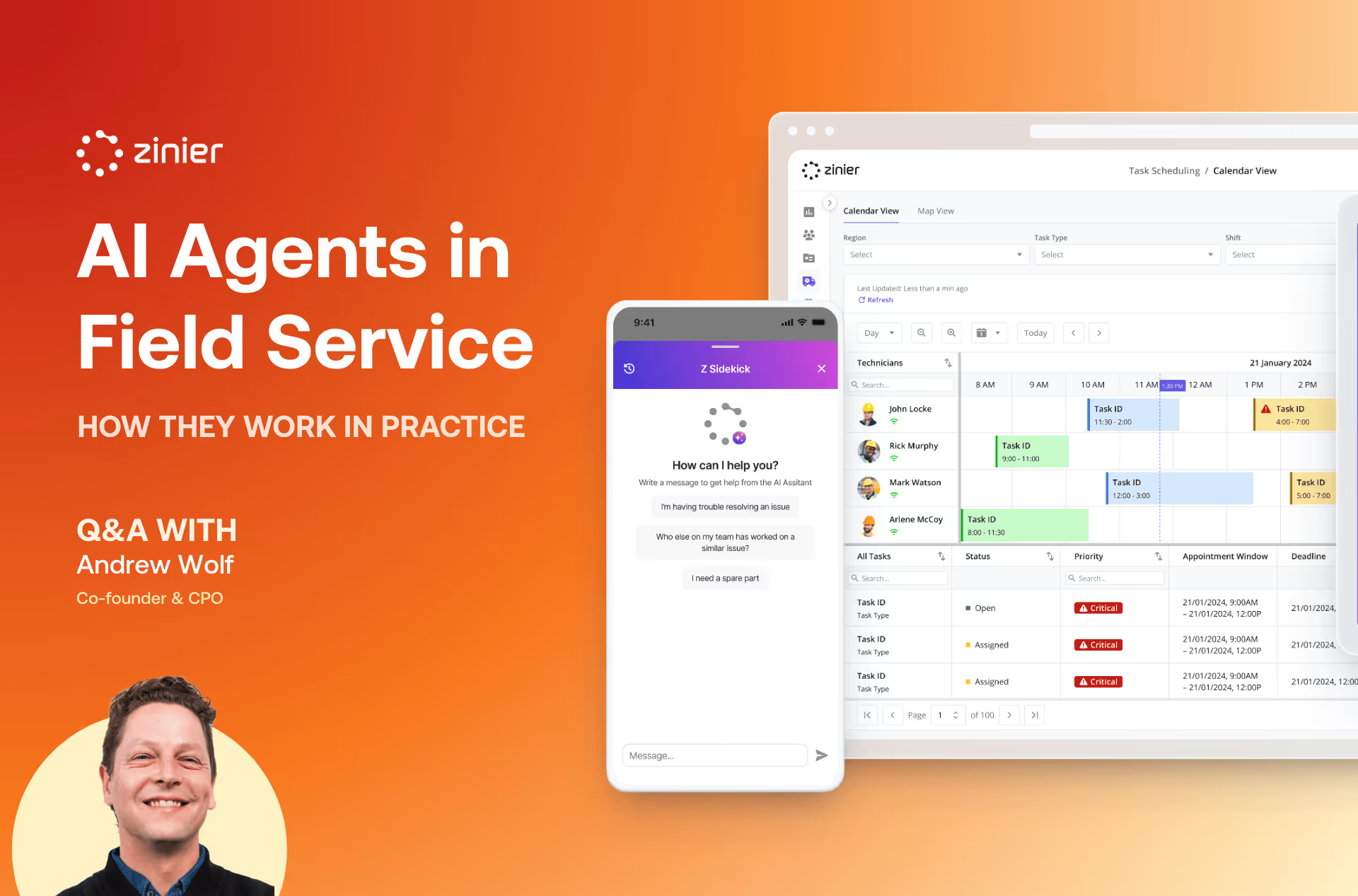
AI agents in field service are software programs that use large language models to answer questions about operational data, retrieve answers from technical documentation, and trigger actions like scheduling, dispatch, and work order updates. A chatbot answers messages. An AI agent gets work done.
Adoption is already mainstream. In Geotab's 2025 State of Field Service report, 93% of field service companies said they have at least partially implemented AI, and 75% said it improved their first-time fix rates. This guide explains how the technology actually works, drawn from a conversation with a Zinier co-founder who has deployed it in production.
Key takeaways
- AI agents work like specialized employees. Each one is trained for a specific job: data queries, document Q&A, or triggering workflows.
- Data agents in production field service deployments reach accuracy well past 95%, but only after testing and refinement.
- Recommendations keep humans in control. Events trigger suggestions that dispatchers accept or reject in one or two clicks.
- Chat-based AI features need connectivity. Core field tasks like forms, photos, and signatures work offline and sync later.
- Workflow-based integrations mean new AI models can be added without replacing your ERP, CRM, or EAM.
How do AI agents work? A step-by-step view
An AI agent works in a five-step loop: it receives an event or request, gathers context from your field service platform and connected systems, reasons over that context with a large language model, responds or acts, and routes high-stakes decisions to a human for approval. That loop is what separates an agent from a chatbot.
- An event or request comes in. A dispatcher asks a question, a critical work order lands, or a technician calls in sick.
- The agent gathers context. It pulls what it needs from your field service platform, uploaded documentation, or connected systems like your ERP.
- It reasons over that context. A large language model interprets the request against the data and works out what a good answer or action looks like.
- It responds or acts. That can mean answering the question, drafting a recommendation, or triggering a workflow such as scheduling and dispatch.
- A human reviews where it matters. High-stakes decisions sit behind an accept-or-reject step, so dispatchers keep final say.
That loop is why agents matter for field service automation. Gartner predicts agentic AI will autonomously resolve 80% of common customer service issues by 2029. The interview below covers what that looks like in production today.
We sat down with Andrew Wolf, Co-founder and CPO of Zinier, who has deployed AI agents in production field service environments. He describes the gap between marketing promises and operational reality, what actually works, and the technical considerations that matter.
What are the three capabilities of a field service AI agent?
Field service AI agents come in three types, each trained for a specific job: data agents answer questions about your operational data, documentation agents retrieve answers from technical manuals, and workflow agents trigger actions like scheduling and dispatch. They work as specialized employees, not one general-purpose bot.
Q: How do Zinier's AI agents actually work day-to-day? What would an operations or field team see?
Andrew: When I talk about agents, I think of them across two dimensions. One is capability and the other is domain. You can think of them as specialized employees who each have a capability, a type of job or set of tools that agent is trained to perform.
There are lots of different types of tools or capabilities. One is data queries. This is pretty prevalent on the market today, but an agent can be trained to answer questions, summarize your data, and perform analytics on the data in your solution. This covers things like "what technician had the highest utilization last month in the Northeast region?" You type this into the chat interface, and LLMs that have access to the data can surface this information quite quickly. This may not even be in the field service product itself, it might be in your PowerBI export or something like that.
You can also have an agent that's been trained to answer questions on documentation that's been uploaded. This is typically a RAG architecture, able to answer specific questions around documents and do summaries and other things like that.
The third capability, still under development for us but exciting, is giving agents the power to trigger actions and workflows. Workflows are really what powers everything under the hood, and giving agents the ability to trigger actions is the next step towards agentic automation.
How accurate are AI agents in field service?
Data query agents in production field service deployments reach accuracy well past 95%, but only after a testing and refinement process tuned to each deployment, not on day one. Accuracy depends more on implementation methodology than on the underlying model. High performers already lean on the technology: Salesforce's State of Service research found 78% of high-performing field service organizations use AI.
Q: Let's say my operations team was worried about AI making mistakes. What kind of accuracy can we expect?
Andrew: There's no sugarcoating this. With a data type agent, we've been getting them up to well past 95% accuracy, and that's without having gone deep into some of the newer capabilities now available. We keep making these agents better.
With documents it's a little different, because the content sits in a RAG database and you have to make sure all the chunking happens accurately, and then you can have a link to verify it. But it's getting better.
We know we're working with enterprise customers, and this information is critical. We can't afford to give folks hallucinations, so we go through a refinement process. It's not just turn it on and go. Every situation is a little unique, and we keep doing testing and refinement prior to deployment to get the accuracy levels up to what we need.
Can you keep human control over scheduling?
Yes. In Zinier's model, events trigger recommendations that a dispatcher accepts or rejects in one or two clicks, so automation handles the repetitive lookups while people keep final say over scheduling. The pattern is common among leaders: Salesforce found 83% of high-performing field service organizations use workflow automation, against 59% of underperformers.
Q: If one of our customers needed automation but wanted to keep control over scheduling decisions, is that possible?
Andrew: The recommendation center is quite unique to us. What you can do with recommendations is automate any workflow or decision by creating business logic within a workflow. These are triggered by events. An event happens, it triggers a recommendation, and when you accept it, it triggers a workflow in our system.
For example, if a certain type of critical priority task comes in, you can have a recommendation that says "this critical task has come in, do you want to automatically assign it to the nearest technician who hasn't been dispatched yet?" You can get very granular and specific about this, down to specific customers or types of scheduling.
Think about all the different business decisions an experienced dispatcher makes over the course of a day. You can codify that with different recommendations. If a technician falls sick or goes on leave and you need to reassign all their tasks to other people, you can do that with recommendations.
Do AI agents work offline in remote areas?
Core field tasks work offline; chat-based AI features need connectivity. On a native mobile app, technicians complete jobs, fill in forms, collect signatures, and take photos with no signal, and everything syncs on reconnect. AI chat interfaces need a connection, so the system keeps the most critical operational functions available offline.
Q: Some of our customers' field teams work in remote areas with spotty connectivity. Will AI features still work?
Andrew: This is a challenge we see, especially with utilities and telecommunications companies in remote areas. Our mobile app is a native iOS and Android app, not HTML5, which gives us much better offline capabilities than browser-based solutions.
When technicians are offline, they can complete jobs, fill in forms, collect signatures, and take photos, and all of it syncs when they reconnect. Some AI features, like the chatbot interface, do require connectivity, but we've designed the system so the most critical operational functions work offline.
We've done implementations where regional managers sit in their trucks behind their iPads and need to do scheduling. The key insight is that if it takes longer than a text message to dispatch somebody, they won't do it. So we give them access on an iPad to schedule in one or two clicks, and their entire ten or sixty technicians are sorted out.
How do AI agents connect to your ERP or CRM?
AI agents connect to enterprise systems through workflow-based integrations, not custom code. On Zinier's event-driven Studio Z platform, integrations are built with a low-code Workflow Builder, so you can add a new AI model or connect an ERP, EAM, or CRM without ripping out what you already run.
Q: What do our customers need to think about when connecting their existing systems to Zinier?
Andrew: We have an event-driven, workflow-based architecture that was built from the ground up to connect to other systems and technologies. We often get questions like "have you integrated with SAP?" Because of the workflow approach, the answer is always yes. We can integrate to any other system and also bring in new technologies such as different AI models or AR and VR products.
Studio Z makes integrations with external systems fast and flexible. Integrations are built using our low-code Workflow Builder, which lets anyone with basic knowledge of JSON and JavaScript define and maintain them. Payload transformations and API changes are handled through workflows, so we can tackle even complex, custom integrations. We also maintain out-of-the-box integrations with ERPs, EAMs, CRMs, and other common systems.
The idea is to future-proof the decision. When new AI models or capabilities become available, you can add them to your solution without having to rip and replace your entire system.
Frequently asked questions
What's the difference between an AI agent and a chatbot?
A chatbot answers questions in a conversation window. An AI agent can also query live operational data, search documentation, and trigger workflows. In field service, that means an agent can reassign a sick technician's jobs, not just tell you the technician is out.
Do AI agents replace dispatchers?
No. In Zinier's model, events trigger recommendations that a dispatcher accepts or rejects. The agent handles the repetitive lookups and suggestions while the dispatcher keeps final say on scheduling decisions.
How accurate are AI agents in field service today?
Data query agents can pass 95% accuracy in production, but only after a testing and refinement process tuned to each deployment. That's why implementation methodology matters more than the underlying model. For where this is heading, read how AI agents are redefining field service automation.
Can AI agents connect to our existing ERP or CRM?
Yes. Integrations run through low-code workflows on the Studio Z platform, so new AI models and external systems can be added without replacing what you already run.
Want to see field service AI agents in action?
As Andrew notes, accuracy and capabilities will keep improving, but implementation methodology matters more than model sophistication. The question isn't whether AI will change field service operations, but whether your platform can adopt these capabilities as they mature.
Want to see how Zinier's AI agents work? Schedule a demo to explore Zinier's approach to production-ready AI implementation.


.avif)
