Asset Management
A digital watchdog for your equipment
Easily keep track of equipment that you're responsible for inspecting, maintaining, and repairing.



Asset Management
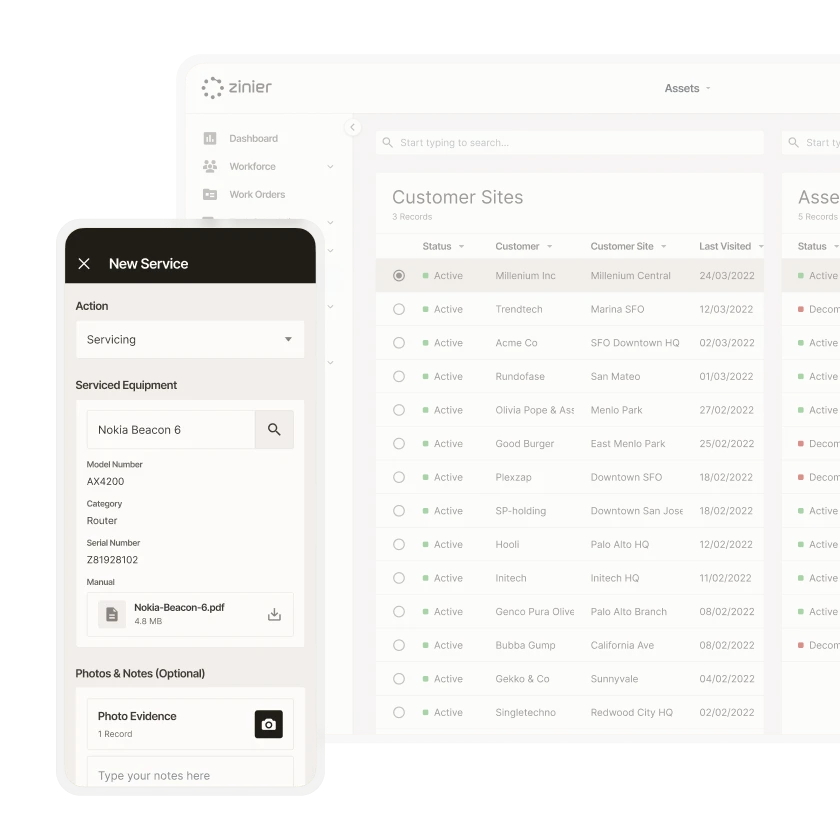
Manage asset catalogs
Capture all the asset information you need, from model number to purchase price, to quickly create a new asset in your catalog.
Asset Management
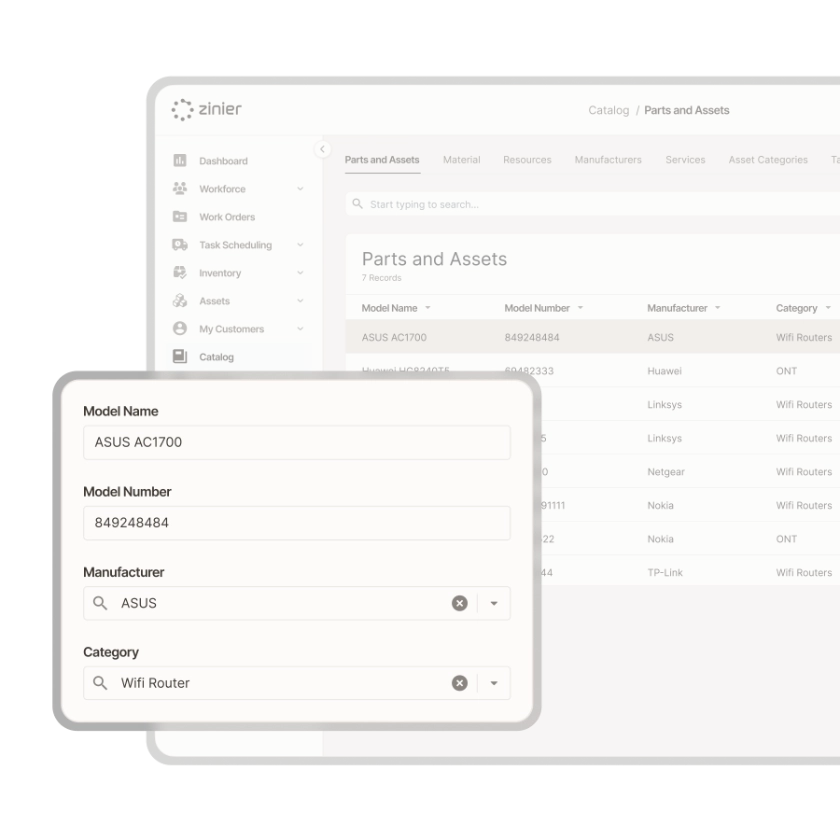
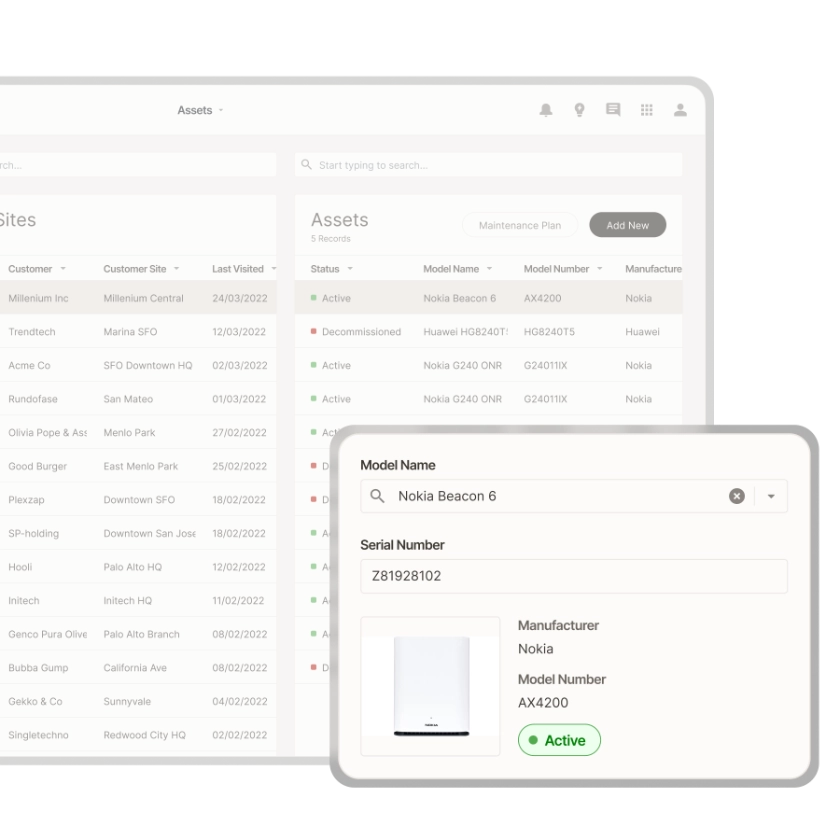
Asset lifecycle tracking
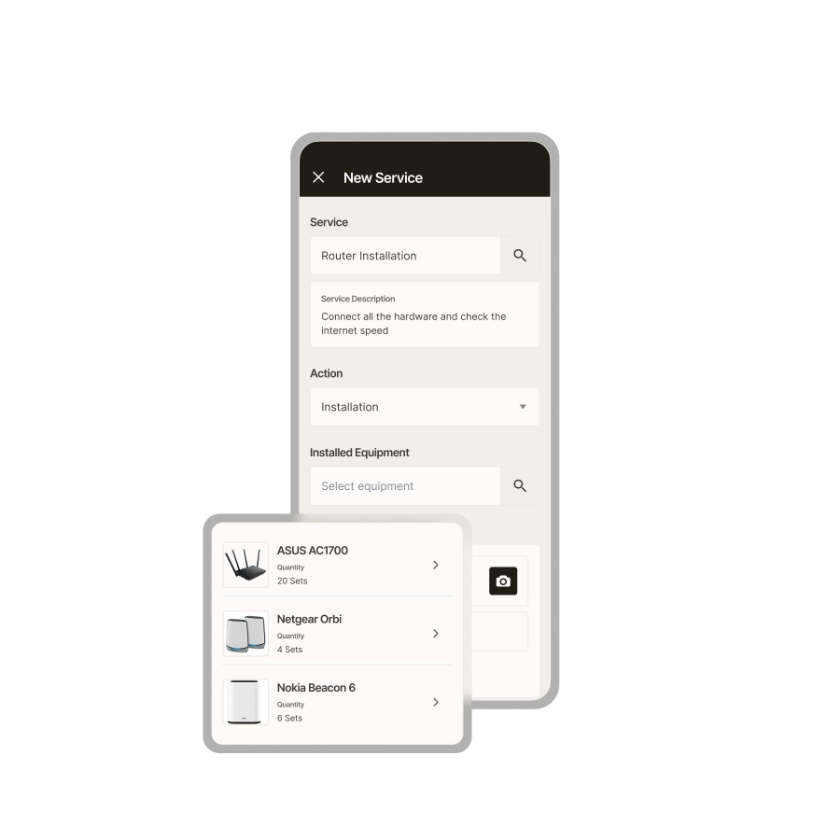
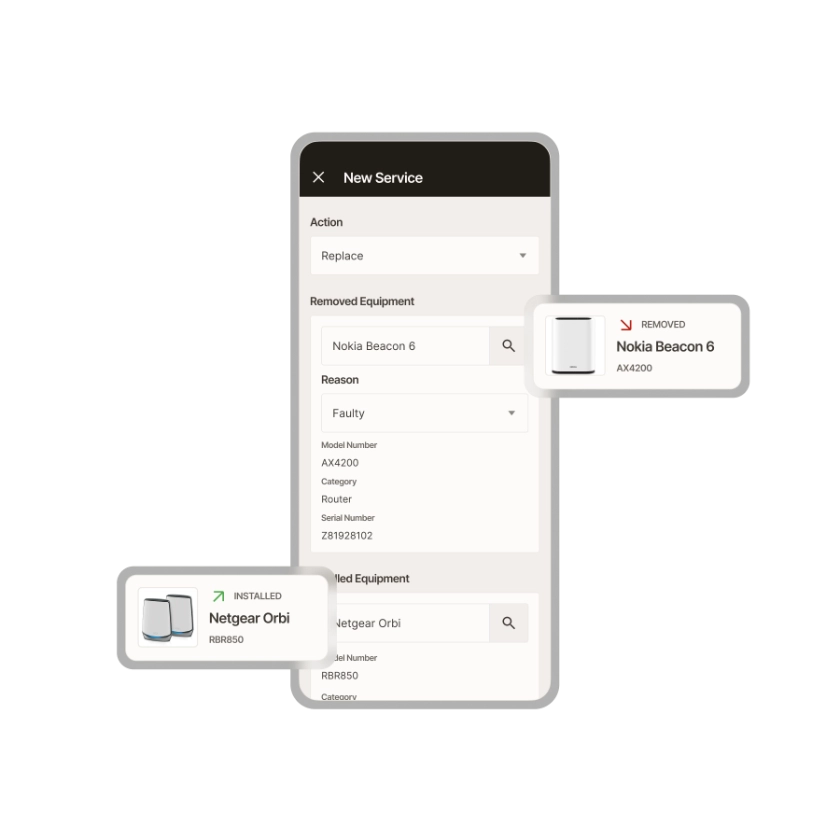
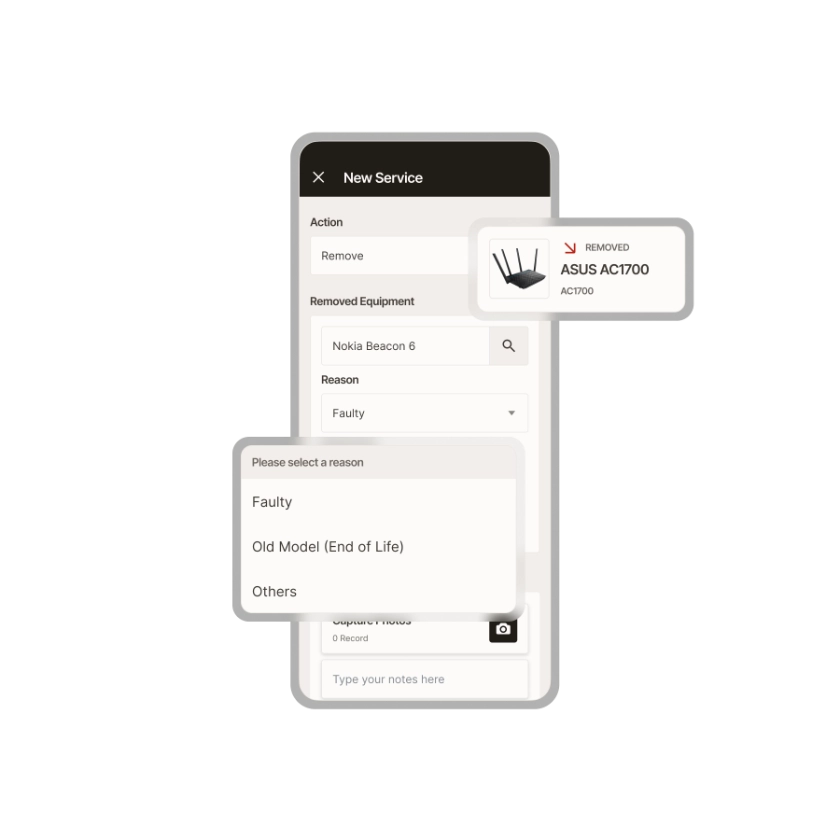
View, add, or decommission assets at customer locations, and tie assets to work orders to keep more complete records of installation and service dates.
Asset Management
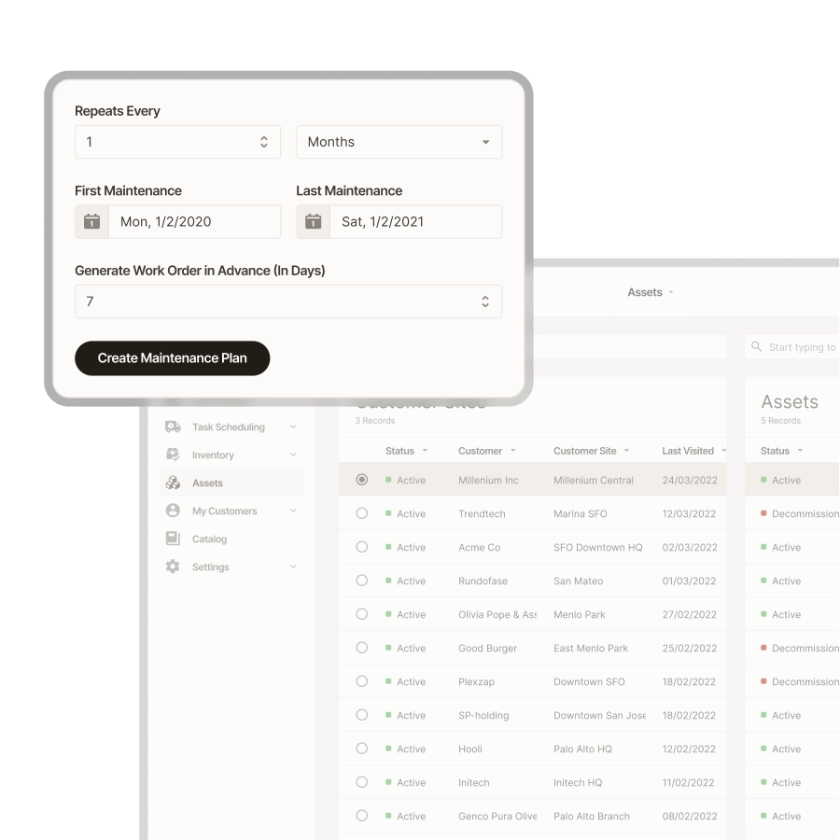
Create scheduled maintenance plans
Define per-asset maintenance schedules and receive auto-generated work orders when maintenance is due.
Asset Management
Not just for the back office
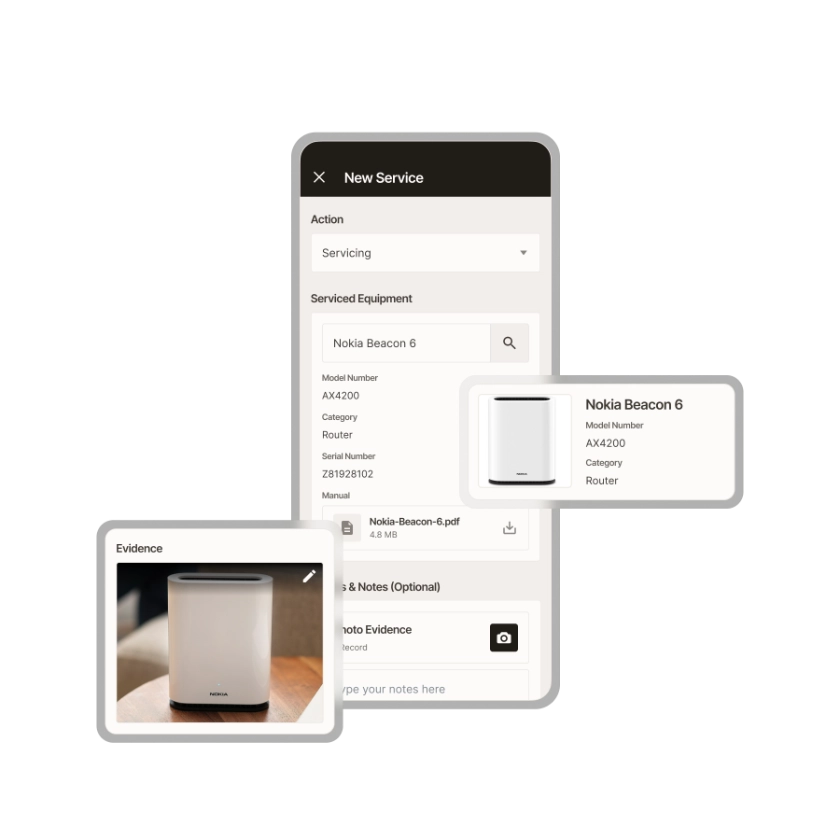
Empower technicians to seamlessly capture asset information while in the field
Zinier comparison
Most FSM software was built for a world where change was slow.
Zinier FSM thrives on change. Adapting to the way you work today and evolving to meet the challenges you’ll face tomorrow. Your operations, your rules.
Zinier FSM platform | Most field service software | |
Configuration | Operations teams configure, no code, no delay. | IT or consultants required for every change. |
Deployment | Live in weeks. Continuous improvement built in. | 12–24 months. Long upgrade cycles. |
AI capability | Configurable AI baked in, understands FSM. | Generic AI bolted on, not field-specific. |
Adaptability | Low-code/no-code. Evolves as your business does. | Rigid. Change means cost, delay and disruption. |
Integration | Low-code/no-code. Evolves as your business does. | Rigid. Change means cost, delay and disruption. |
Contractor management | Full governance and control at scale. | Manual coordination. Limited visibility. |
Mobile experience | Mobile-first. Guided workflows, real-time data. | Basic apps. Poor offline capability. |
Scalability | Cloud-native. Scales without replatforming. | Replatforming required as you grow. |



Tomorrow won't look like today
Get a field service management platform that evolves as you do.



Explore other Core modules


FAQs
Frequently asked questions
Yes. Zinier FSM can hold records for many kinds of physical assets, from equipment in buildings to towers, substations, and other field infrastructure, all configurable to meet an organization's requirements. Teams can use it as asset management software for facilities or as fixed asset management software for distributed networks. Assets can be organized by site, type, or hierarchy.
Yes. Technicians can carry out asset inspections on the mobile app, with results saved to the asset's record. Dynamic Audits allow for inspection questions to change based on what the technician finds, such as additional asset checks when a fault is reported. That makes Zinier FSM useful as both asset management inspection software and a repository to store asset records.
Asset performance management looks at how well equipment is working over time, using data on failures, downtime, and maintenance to decide where to spend maintenance effort. Zinier FSM supports it by keeping a complete service history for each asset, collected through work orders and inspections, which can be interrogated via the Reporting module or via conversational AI.
Enterprise asset management (EAM) software tracks physical equipment over its working life. That includes where each asset is installed, its specifications, service history, inspections, and repairs. An enterprise asset management system helps organizations plan maintenance, keep equipment in working condition, and replace it before it fails. Zinier FSM connects asset records directly to field work, so each job updates the history of the asset it involved.