Forms & Checklists
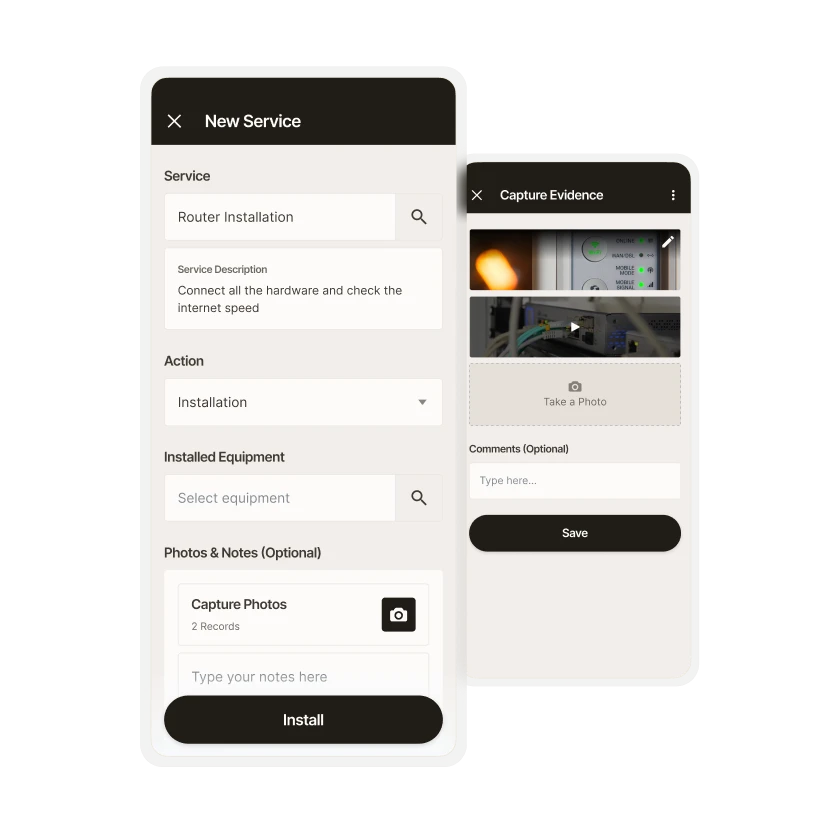
All your work requests in one place
Streamline your work day by capturing, enhancing, and managing the data connected to each task.



Forms & Checklists
Robust data capture capabilities
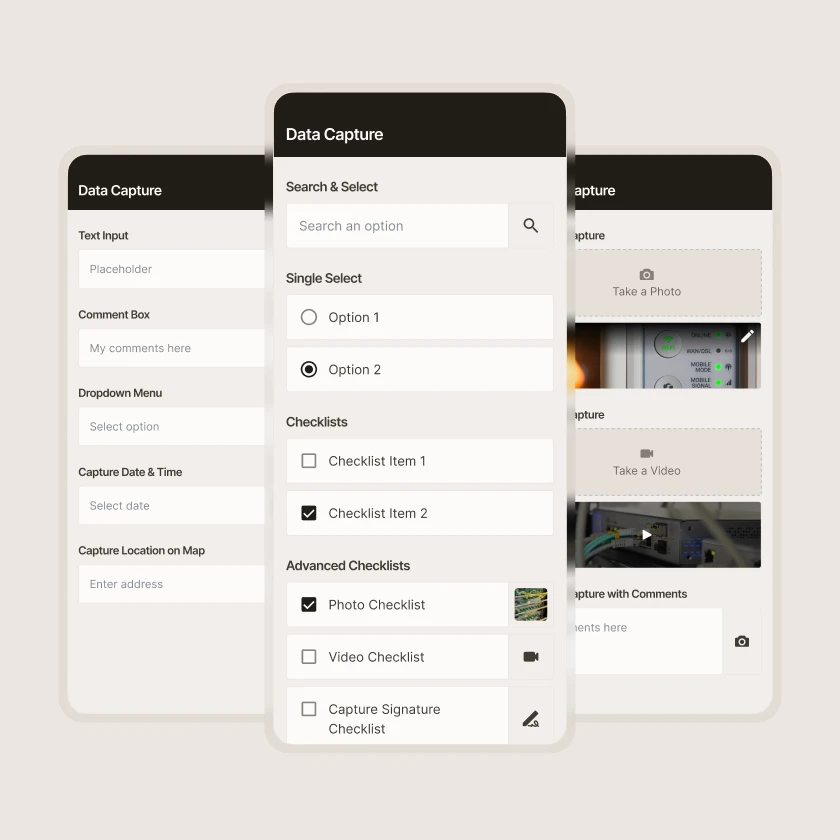
The Zinier platform helps you capture any and all data from the field as part of a task. All of the basic data capture components exist: checklists, text input, comment boxes, drop-downs, photo, video, and more.
Forms & Checklists
Purpose-built for field service
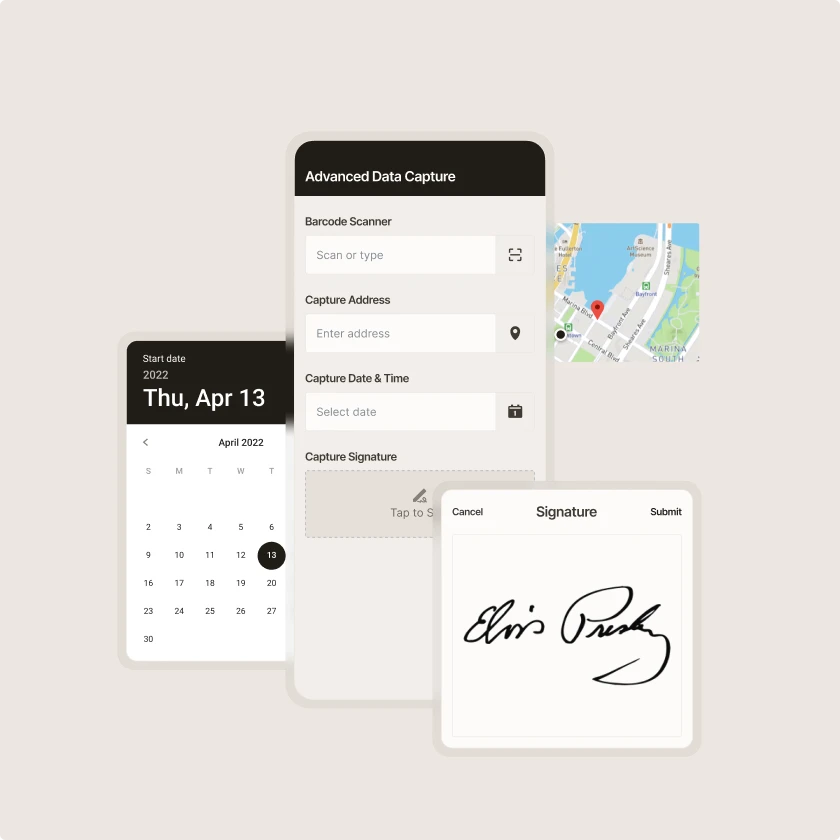
From geo-tags and timestamps to the ability to capture signatures and scan barcodes in the field, Zinier’s robust mobile capabilities are designed with field service execution in mind.
Forms & Checklists
Photo markup and annotation
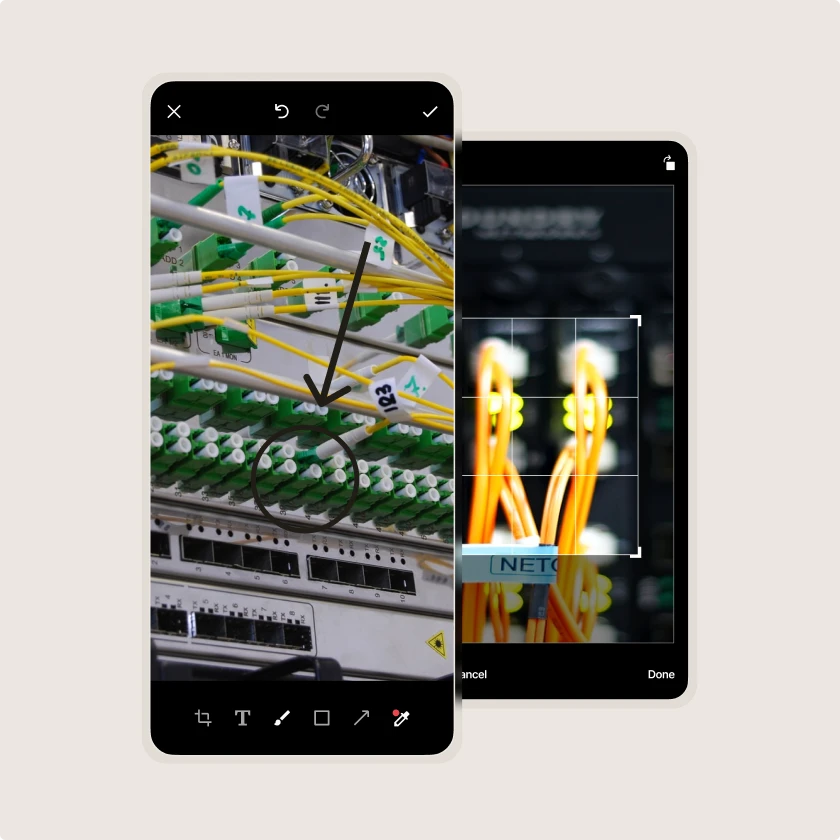
Technicians can annotate and markup photos taken during a task.
Forms & Checklists
Extensive media support
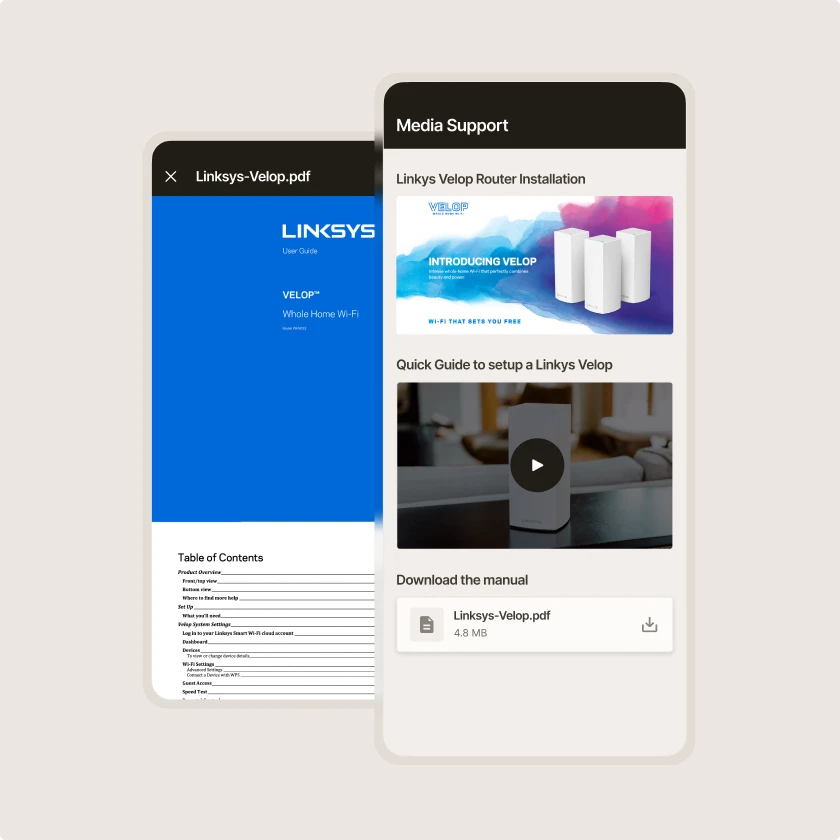
With support for images (JPEG, PNG), videos (MP4), documents (PDF, OBJ, STL, DAE, MS Office) and more, technicians can view the task information they need directly from the mobile app.
Zinier comparison
Most FSM software was built for a world where change was slow.
Zinier FSM thrives on change. Adapting to the way you work today and evolving to meet the challenges you’ll face tomorrow. Your operations, your rules.
Zinier FSM platform | Most field service software | |
Configuration | Operations teams configure, no code, no delay. | IT or consultants required for every change. |
Deployment | Live in weeks. Continuous improvement built in. | 12–24 months. Long upgrade cycles. |
AI capability | Configurable AI baked in, understands FSM. | Generic AI bolted on, not field-specific. |
Adaptability | Low-code/no-code. Evolves as your business does. | Rigid. Change means cost, delay and disruption. |
Integration | Low-code/no-code. Evolves as your business does. | Rigid. Change means cost, delay and disruption. |
Contractor management | Full governance and control at scale. | Manual coordination. Limited visibility. |
Mobile experience | Mobile-first. Guided workflows, real-time data. | Basic apps. Poor offline capability. |
Scalability | Cloud-native. Scales without replatforming. | Replatforming required as you grow. |



Tomorrow won't look like today
Get a field service management platform that evolves as you do.



Explore other Core modules


FAQs
Frequently asked questions
Yes. Form answers can automatically trigger the next step. A failed safety check might alert a supervisor, and a reported fault might create a follow-up work order. Teams set these rules in Studio, which applies field service automation to the information technicians record on site.
Required fields and steps make sure technicians complete every mandatory check before closing a job. Each completed form records who did the work, when, and where, often with photos or signatures. Those records feed into reporting, so compliance and safety reporting can draw on data captured at the point of work, rather than collating evidence later once an audit is scheduled.
Yes. Forms and checklists are built in Studio using the no-code task builder, or by interacting with conversational AI. Operations teams can add fields, required steps, photo capture, and validation rules, then publish changes to the mobile app. That means a new safety requirement or process change doesn't have to wait for a development cycle.
Digital forms and checklists replace paper records on the job. In Zinier FSM, technicians fill out forms in the mobile field service app to record inspections, safety checks, job details, and customer sign-off, either by typing in the data, or by speaking to the conversational AI. Checklists set out the key steps for repeatable tasks, so work is done consistently and in compliance with safety or regulatory standards.