Capacity Management
Forecast, plan, and automate capacity to match demand
Capacity and demand are constantly changing. Zinier FSM gives you the tools to adjust and optimize your workforce accordingly.



Capacity Management
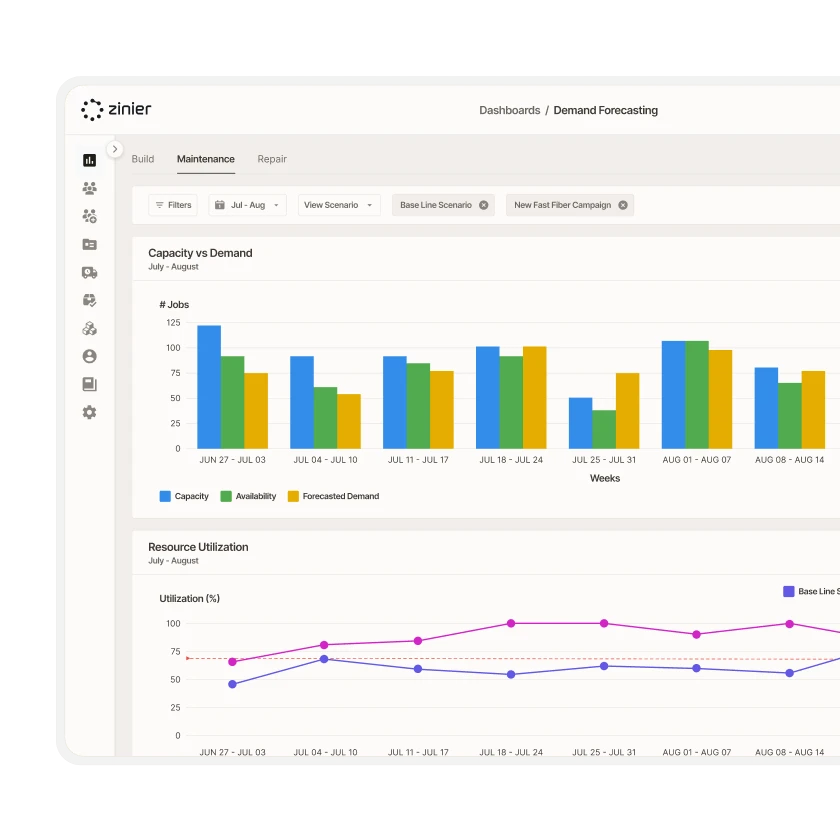
Look to the future with Capacity Forecasting
Demand is constantly in flux. Stay ahead of the curve by predicting future workforce capacity based on historical data or running "what if" scenarios to test how demand might change.
Capacity Management
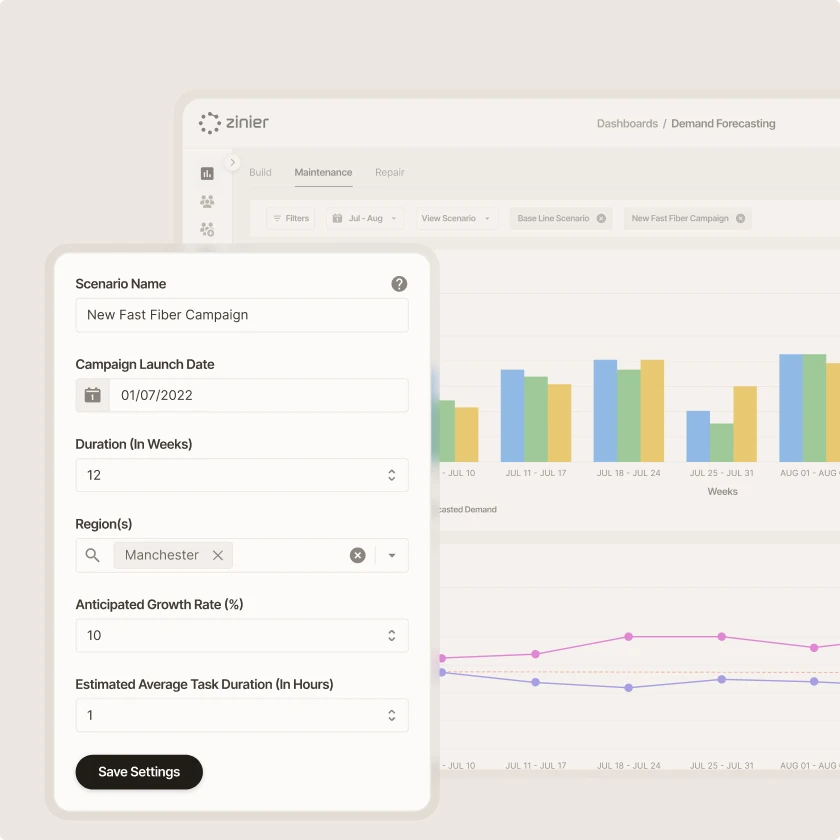
Plan in the near term with Capacity Planning
With configurable shifts, leave, and overtime, you have the tools to define and allocate capacity to set your workforce up for success.
Capacity Management
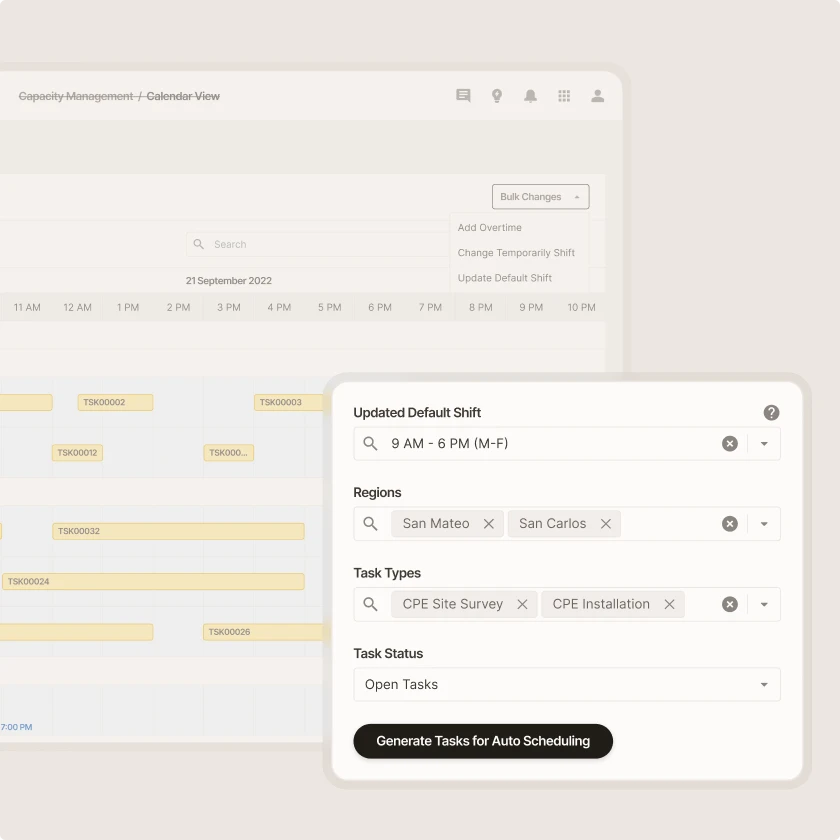
Optimize for the now with Capacity Utilization
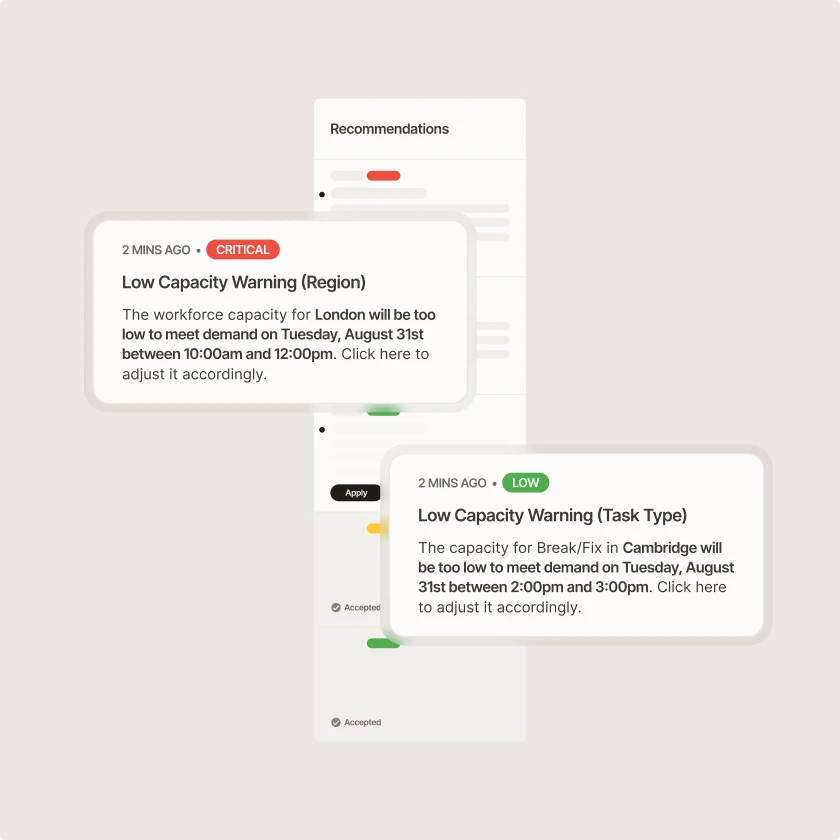
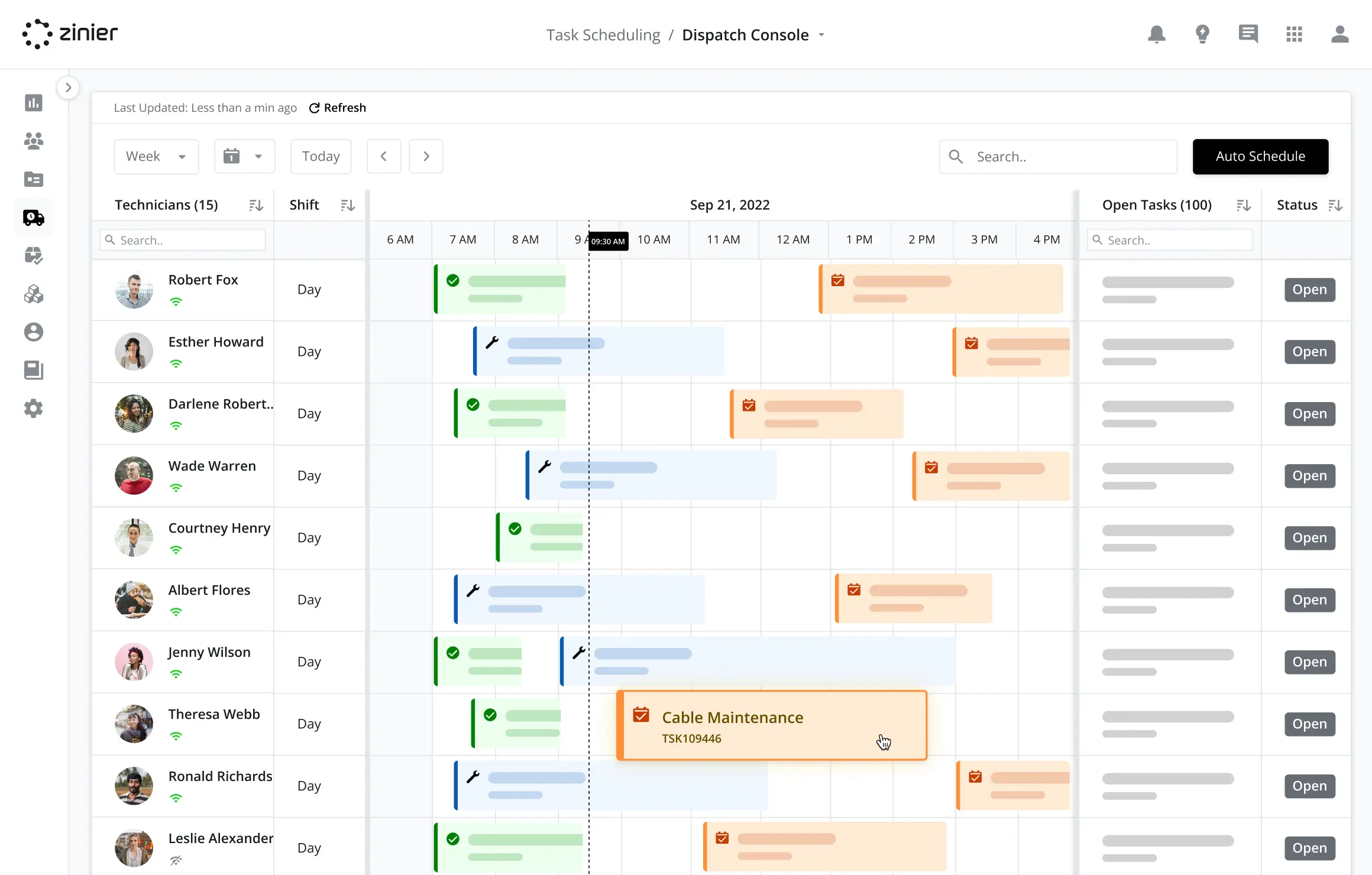
Analyze your real-time capacity and redistribute your workforce allocation to meet capacity whenever requirements change.
Capacity Management
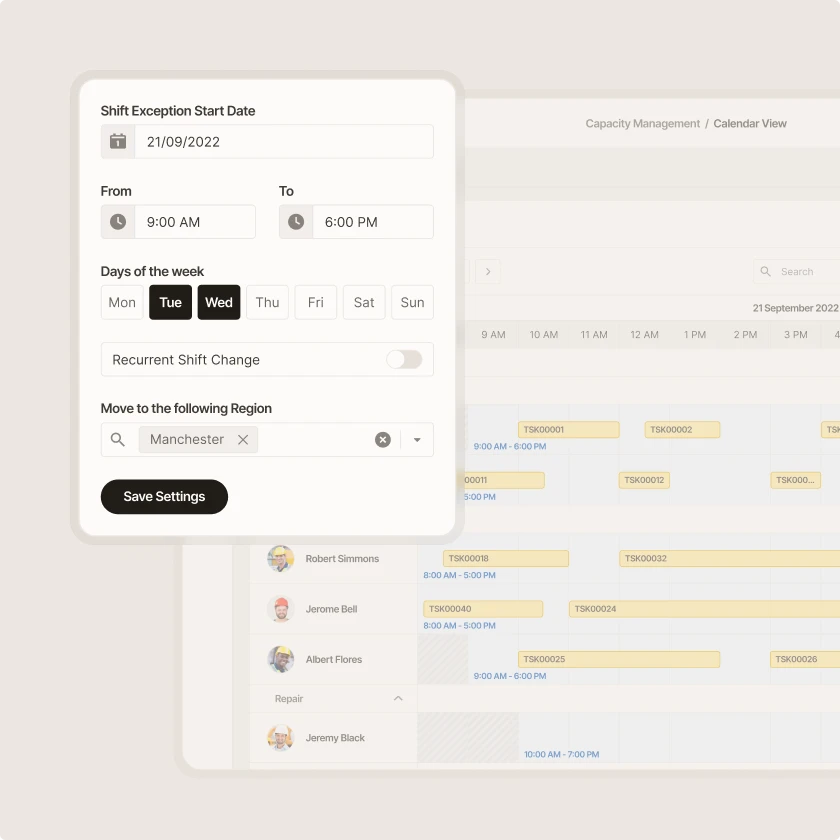
Automate for impact and efficiency with Capacity Automation
Boost productivity and performance when you shift from manual planning to automation and managing by exception.
Zinier comparison
Most FSM software was built for a world where change was slow.
Zinier FSM thrives on change. Adapting to the way you work today and evolving to meet the challenges you’ll face tomorrow. Your operations, your rules.
Zinier FSM platform | Most field service software | |
Configuration | Operations teams configure, no code, no delay. | IT or consultants required for every change. |
Deployment | Live in weeks. Continuous improvement built in. | 12–24 months. Long upgrade cycles. |
AI capability | Configurable AI baked in, understands FSM. | Generic AI bolted on, not field-specific. |
Adaptability | Low-code/no-code. Evolves as your business does. | Rigid. Change means cost, delay and disruption. |
Integration | Low-code/no-code. Evolves as your business does. | Rigid. Change means cost, delay and disruption. |
Contractor management | Full governance and control at scale. | Manual coordination. Limited visibility. |
Mobile experience | Mobile-first. Guided workflows, real-time data. | Basic apps. Poor offline capability. |
Scalability | Cloud-native. Scales without replatforming. | Replatforming required as you grow. |



Tomorrow won't look like today
Get a field service management platform that evolves as you do.



Explore other Core modules


FAQs
Frequently asked questions
Capacity management sets the limits that scheduling works within. It determines how much technician time is available, for which skills and in which areas. Scheduling & Dispatch then assigns specific jobs to specific people within those limits. In Zinier FSM, both use the same technician and job data, so capacity changes inform how the schedule is managed and updated in real time.
Yes. Capacity can be viewed and planned by region, business unit, skill, or team. That lets enterprise-scale organizations see where they're short of technicians and where they have room, then move jobs or people between groups. Each region can keep its own rules and working patterns while planners get a combined view of the whole operation.
Zinier FSM compares forecast or booked work against available technician hours, broken down by skill and location. Planners can see where demand is likely to exceed capacity and where teams have spare time. That view feeds into scheduling, so work can be spread more evenly, and no group is consistently overloaded.
Capacity management is the work of making sure you have enough technician time, with the right skills, to meet expected demand. It looks weeks or months ahead, while scheduling and dispatch focus on specific jobs on specific days. Good capacity planning helps teams decide when to hire, shift resources between regions, bring in contractors, or adjust service commitments.